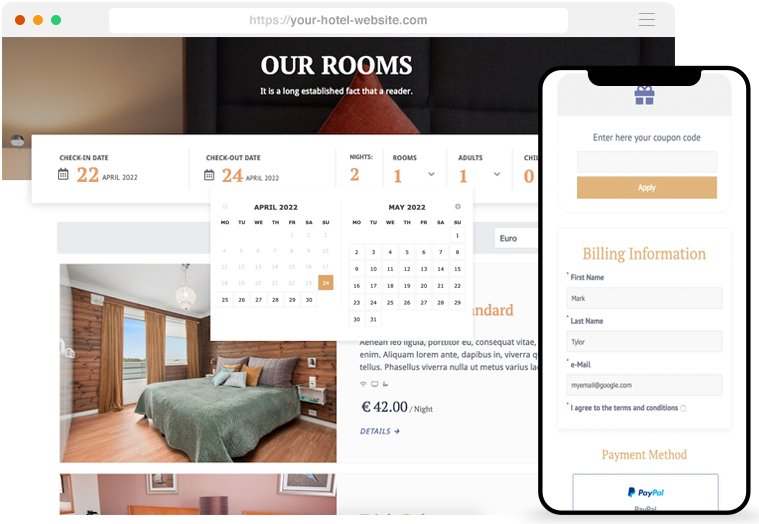

By integrating an Internal Booking System into your website, it becomes your primary tool for managing reservations. The system will save customer reservations from any of the OTA channels in your website's Admin area, allowing you to create your database of customer information and financial data.
All the bookings can be exported in ICS and CSV formats with various filters like Status, Date and Check-In. ICS files can be imported into Google Calendar and many others. The CSV files can be read with software like Excel.

QUICK RESERVATIONS
Receptionists and managers can easily manage reservations for walk-in customers or those who prefer to book over the phone, updating availability in real time.
Unlike some portals, rooms can be closed on some dates of the year to stop the bookings. The room inventory of the booing engine is not based on daily availability where each day of the year must have a number of units available and some rates.

RECEPTIONIST
MAIN DASHBOARD
The Dashboard provides a convenient way to get an overview of the guests arriving, leaving, and staying at the hotel. You can also mark reservations as "No Show" if the customer fails to show up. Additionally, you can check out customers to keep others informed.
You can also add sticky notes to the dashboard and even see the latest messages from your OTA Bookings.

AVAILABILITY OVERVIEW
The availability overview page allows you to track past, present, and future reservations and easily allocate customers to different rooms with the drag-and-drop feature.
With the Room Numbering feature, you can see exactly which rooms your guests will be staying, in and eventually move them to a different room unit.

OCCUPANCY REPORTS
This report provides information on the percentage of occupancy, the total number of rooms sold, the number of nights booked, and the revenue earned. You can customize your research by selecting specific ranges of days, weeks, and months.
The booking engine provides several default reports such as Revenue, Top Countries, Options/Extra Services, Tourist Taxes, and country-specific reports to export data for the authorities. Additionally, the PMS Reports of the booking engine can be extended.

Start taking direct bookings
Improve your reputation by accepting and managing all your bookings directly through your website.
Collect payments through your preferred bank with 60+ payment plugins. Paypal is included for free.
Save on OTA commissions
Most of the Major OTAs charge your property high % fees for every booking and use of their Payment functions.
"Boost the performance of your website to enhance competitiveness and decrease expenses."
Increase your revenue
Upgrade to an independent booking engine that is completely integrated with your website and comes with no monthly fees or commissions.
"Stop relying on expensive external systems and start increasing your revenue."
MANAGE GUESTS
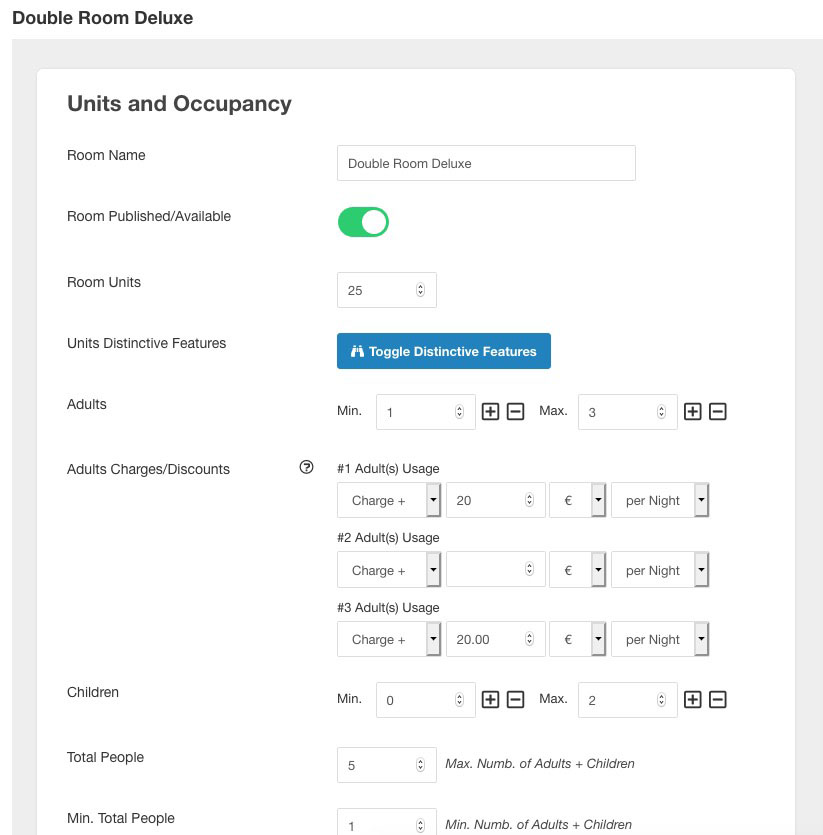
Organize your rooms as you do with the OTA's, and set minimum and maximum Adults, Children and Total Guests for each room type.
CONFIGURE ROOM UNITS
Configure the number of units available and assign a unique number or name to each sub-unit. This will enable you to assign and track which room your guests will be staying in.

AMENITIES AND CHARACTERISTICS
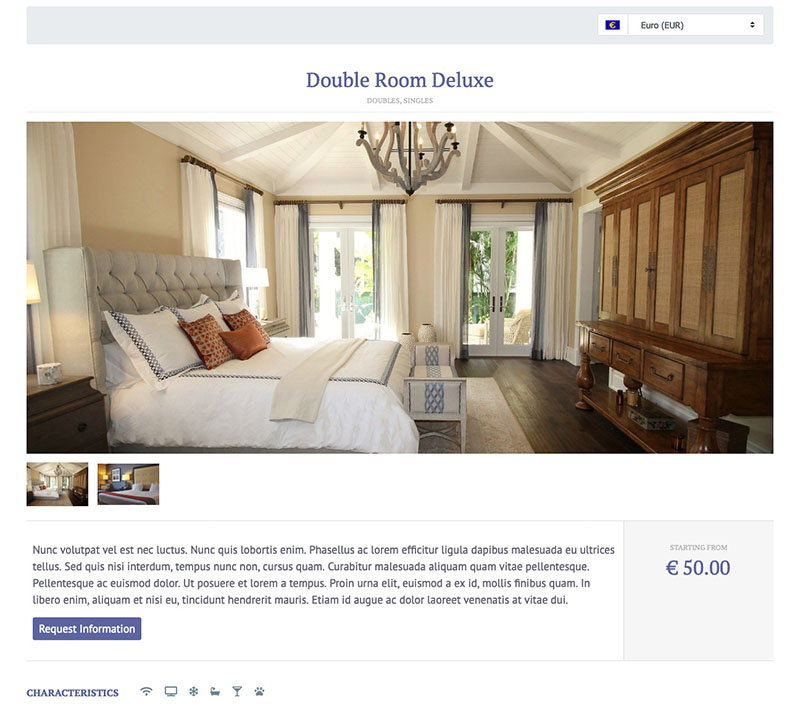
Add room characteristics for each room type (such as TV, Wi-Fi, and Pool), together with a description and Photos of each room.
EXTRA SERVICES
Assign specific optional services to your rooms that guests can order during the booking process, like breakfast or dinner.
FEES AND TAXES
SUPPORT FOR DIFFERENT PRICES
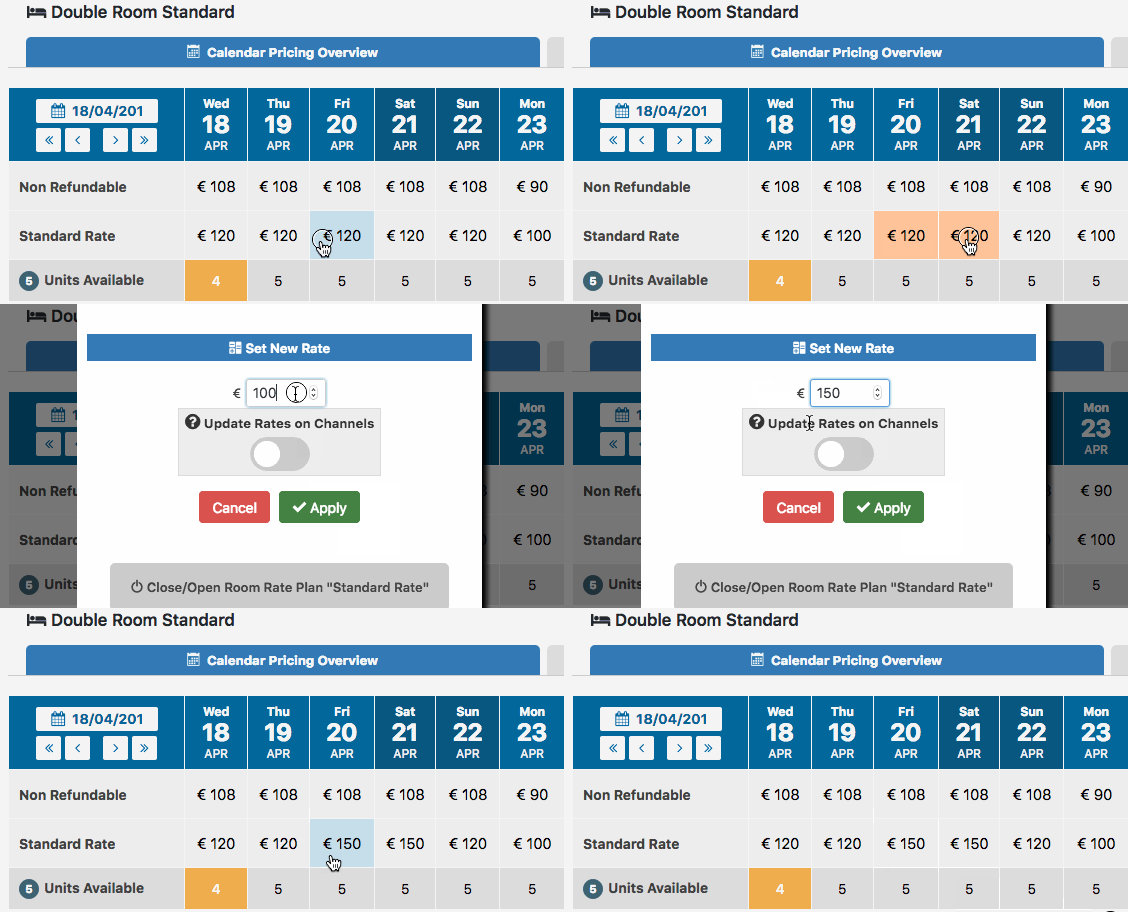
The Booking Engine has a Pricing Framework that adheres to the OpenTravel Alliance Standards. This framework is designed to support any type of pricing model. Whether you prefer rates based on the length of stay, occupancy, or rates per day, Vik Booking allows you to customize your pricing rules to suit your needs.
DAILY PRICING
This pricing model allows for different rates throughout the year, with varying costs on weekdays versus weekends or high season versus low season.
PER DAY BY THE LENGTH OF STAY
Often used by apartments, villas, and B&Bs. Rates are defined based on the length of stay. For instance, one night costs £95, two nights £120, and so forth.
PER OCCUPANCY
If you charge different rates for rooms based on the number of adults, this function is necessary. It lets you adjust costs according to the number of adults staying. For instance, you can set a charge or discount for a single occupancy of a Double Room.
CHILDREN
The system provides the flexibility to set costs either with an absolute value or a percentage value. This allows for the possibility of making a child pay the full room cost if they are older than a certain age. In such cases, children who have reached a specific age can be considered as adults.
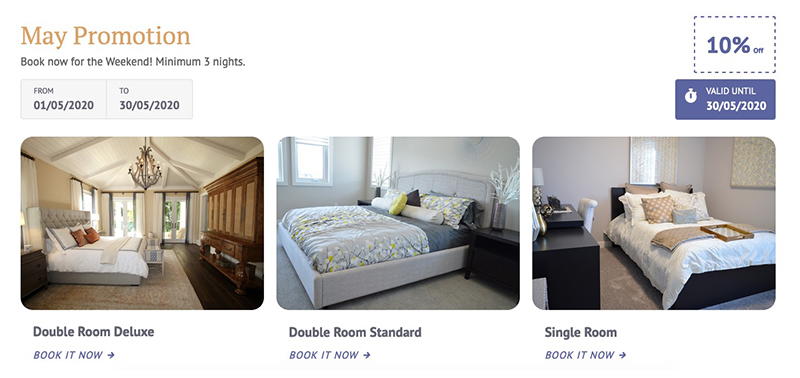
SEASONAL PRICING & PROMOTIONS
The booking engine allows you to modify the default rates for certain seasons, holidays, weekends, and events throughout the year. By specifying charges or discounts as either absolute or percentage values, you can quickly adjust your rates.

BOOKING RESTRICTIONS
Define your booking rules for certain dates/months of the year. i.e., in high season limit the Minimum Length of Stay to 2 nights, Or, you could set up a Maximum Length of Stay rule or even force the arrival and departure day to something like Friday/Monday.
CTA/CTD (Closed to Arrival/Departure)
CTA and CTD rules can be used to restrict certain days for arrivals and departures, enabling the balancing of bookable dates. This feature is compliant with OTA standards.